
Biolab Diagnostics Laboratory
Clinical Laboratory
Laoag City
biolabdiagnosticslaoag.com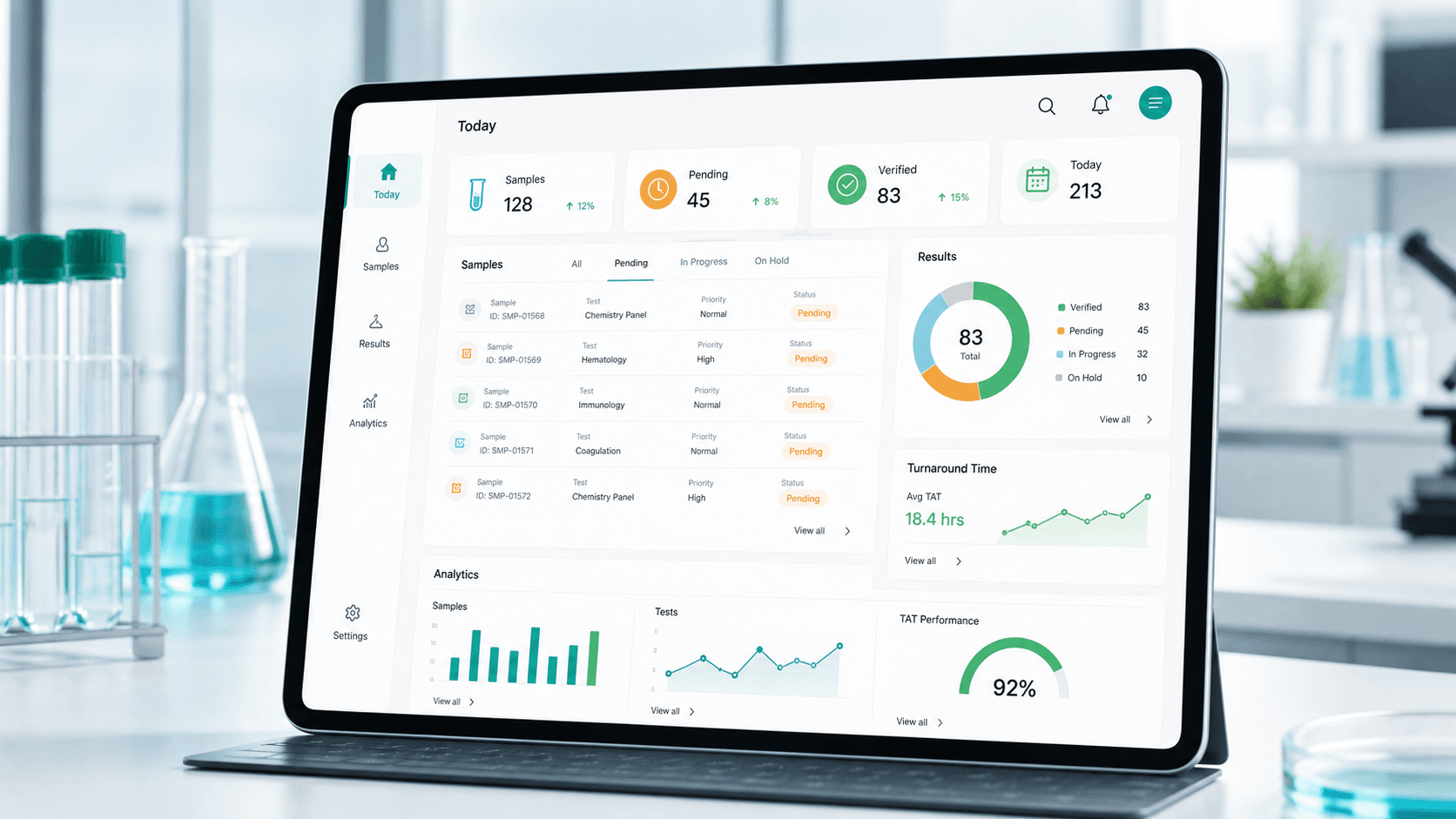

Built for high-volume diagnostic operations
LabTrakPro keeps sample tracking, result verification, billing checkpoints, and operational visibility in a single system — so every case stays accountable from registration to released report.
Trusted laboratories
Clinical Laboratory
Laoag City
biolabdiagnosticslaoag.com
Multi-specialty Diagnostic Center
Bacarra Ilocos Norte
bacarrahealthdiagnostics.com
Clinical Laboratory
Laoag City
accusaver-laoag.labtrakpro.com
Hospital Laboratory
Laoag City
st-camillus-laoag.labtrakpro.comPlatform
LabTrakPro organizes the work that surrounds testing: intake, specimen handling, queue ownership, result release, payment checkpoints, and management reporting.
Track every request from registration and collection through verification, release, and archive.
Prioritize pending, flagged, repeat, and completed results without switching between spreadsheets.
See turnaround time, workload, branch volume, and bottlenecks from an executive-ready dashboard.
Keep staff, pathologists, cashiers, and administrators aligned with permission-aware workflows.
System features
These are the operational features already represented in the system scope: patient intake, orders, specimen routing, results, imaging, documents, reports, audit records, setup, users, and backup controls.
Register patients, search and update profiles, review previous laboratory and imaging transactions, and merge duplicate records while preserving history.
Create orders from patient records, add tests or packages, assign physicians, apply pricing rules, calculate totals, and print receipts.
Check specimens into the correct laboratory section and route work to Clinical Chemistry, Hematology, Clinical Microscopy, and Serology.
Use section-based worklists for result entry, comments, signatories, completion monitoring, result release, and authorized release reversal.
Manage imaging orders, radiologist assignments, findings, impressions, supporting images, quality-control stages, and final report release.
Search released results by laboratory number and generate branded laboratory reports, imaging reports, section PDFs, and receipts.
Filter by date range, review revenue and transaction activity, analyze test census, generate advanced reports, and export to Excel.
Review order activity, management audit records, user attribution, important record changes, and deleted transaction visibility.
Maintain laboratory and imaging tests, codes, sections, prices, result configurations, packages, discounts, and searchable service catalogs.
Create accounts, assign roles, reset passwords, archive users, and manage staff, physician, and patient portal access where enabled.
Configure laboratory information, logos, enabled modules, branding, theme colors, report behavior, and PDF layouts.
Where enabled, start database backups, review backup status, restore available backups, and manage retention safely.
Workflow
The system follows the same path your staff uses every day, from patient intake and order creation through specimen routing, result release, reporting, audit review, and administration.
Create a patient record, search existing profiles, update demographics, and review previous laboratory or imaging transactions.
Build the request from a patient record, add tests or packages, assign physician details, apply pricing, and print receipts.
Accept specimens, move orders into active processing, and route work to the appropriate laboratory sections.
Use section worklists for result encoding, comments, signatories, completion tracking, and review.
Release completed results, reverse release when authorized, and generate full or section-specific branded reports.
Review revenue and test census reports, export data, audit order activity, and manage catalog, users, and settings.
Payment, policies, and support
Review LabTrakPro's terms, privacy practices, refund policy, support channels, and dispute process before requesting a demo or starting a service engagement.
Review the terms for demo requests, service discussions, subscriptions, implementation work, and acceptable use.
View detailsLearn how inquiry details, demo requests, and customer communications are collected, used, and protected.
View detailsUnderstand how software subscriptions, setup fees, cancellations, and refund requests are handled.
View detailsReach LabTrakPro for product questions, implementation support, billing concerns, or account assistance.
View detailsSee the process for raising and resolving service, billing, access, or payment-related concerns.
View detailsRequest a demo or contact us
Request a product walkthrough, ask implementation questions, or tell us about your departments, users, and reporting needs. We will respond with the cleanest path to get your lab running.
alvinbregana@gmail.com
+63 999 772 5143
Available for laboratories across the Philippines